ARTHUR LEGGETT OAM LIBRARY
  • Home
  • Books & Reading
    • Finding a book
    • Reading lists
    • eBooks Reading lists
    • Audiobooks >
      • Allsorts Audio
      • Animals Audio
      • Action Adventure Audio
      • Biography Audio
      • Conflict Audio
      • Contemporary Audio
      • Family Relationships Romance Audio
      • Fantasy Audio
      • Historical Audio
      • Humour Audio
      • Mystery Audio
      • Non Fiction Audio
      • Paranormal Horror Audio
      • Science Fiction Dystopian Audio
      • Short Stories Audio
      • Sports Audio
    • Premiers Reading Challenge
    • Reading journals
  • Course Support
    • Year 7
    • Year 8
    • Year 9
    • Year 10
    • Year 11
    • Year 12
  • Referencing
  • Inquiry
    • Defining
    • Locating
    • Selecting
    • Organising
    • Presenting
    • Evaluating
  • Writing Frameworks
  • Teachers
  • About Us
Picture
Last updated 8 November 2022
Source: Adobe Stock
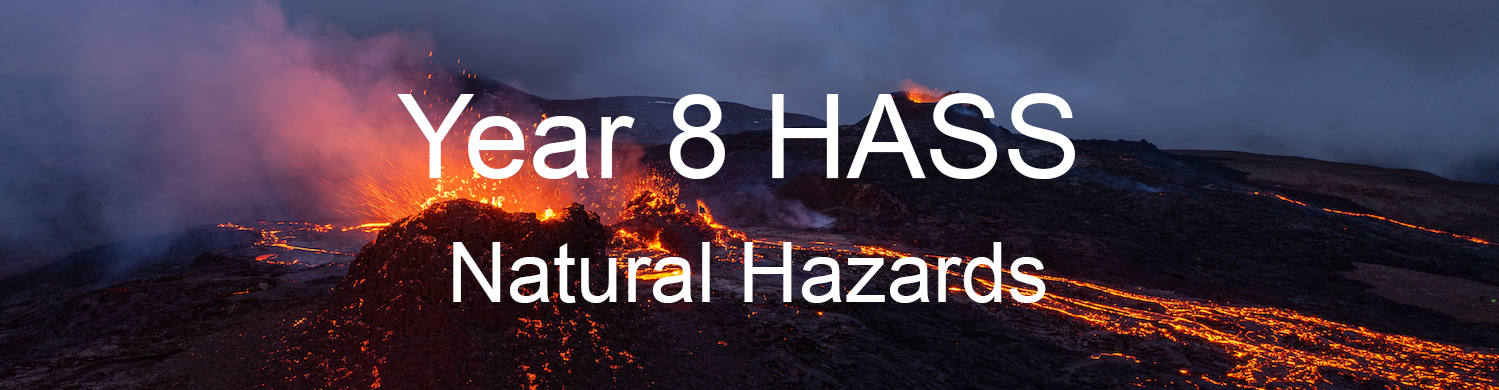
This page has been created to support the task on Natural Hazards. 
​Use the Information Process to help you manage this task.
Picture
Picture
Picture
Picture
Picture
Picture
Make sure you read through the whole page before starting your search for information.
​
​If you have any issues, or need further support, please contact 
Mrs Bakitch.
 
Step 1 - Defining
Picture
This step asks you to think about:
  1. What exactly do I need to do?
  2. What do I need to find out?
Strategies for Defining
  • Underline or highlight the important keywords on your task sheet
Picture
  • Make sure you understand the instructional words on your task sheet​
 
Step 2 - Locating
Picture
This step asks you to think about:
  1. Where can I find the information I need?
  2. What search tools, sources and equipment can I use?
  3. Which sources best suit my needs?
Strategies for Locating
The pages listed below in this guide have resources that we recommend you use to get started on your research.
​
  • Indonesian Volcanic eruption 2010
  • USA - Mount St Helens
  • Japan-Sendai earthquake and tsunami 2011
  • Indonesia-Sumatra earthquake and tsunami 2004
  • Haiti eathquake 2010
  • Nepal earthquake 2015
  • Indian landslide 2014
These books will be useful for the recommendations section.
Picture
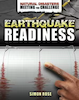
Rose, S. (2019). Earthquake readiness. Crabtree.
Picture
Hudak, H. C. (2020). Volcanic eruption readiness. Crabtree.
Picture
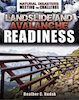
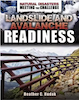
Hudak, H. C. (2020). Landslide and avalanche readiness. Crabtree.
If you need more information, make sure you look in the following places in this order:
​
1. Library Catalogue
​2. Free Internet (Remember not all information on the Internet is credible or reliable)
 
Step 3 - Selecting
Picture
This step asks you to think about:
  1. Which of these resources will be of use to me?
  2. Which information will I really use?
  • Can I understand the information I have found?
  • How credible/ reliable is the information I have found?
  • How relevant is the information I have found to my current information need?
Strategies for Selecting
  • Make sure the information matches what you need to find out.
  • If you search the internet for yourself, make sure you evaluate the website before you use the information to check if it reliable.
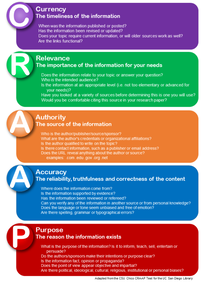
To evaluate, use the CRAAP test method.
Picture
Picture
There are many webpages created by students for assignments. Be careful of any websites with weebly in the title. You can't be sure that all of the information is accurate.
 
Step 4 - Organising
Picture
​This step asks you to think about:
  1. How can I organise this information to solve my problem/complete my task?
  2. Have I:
  • made notes under my focus questions or organised my notes to match them?
  • recorded details of my sources of information for my Reference List/Bibliography?
3.   Do I have enough information?
Strategies for Organising
  • Using a notemaking sheet to record your information
Picture
Natural hazards notemaking sheet
Set up your notemaking sheet in Office 365 so everyone in your group can access the document at the same time.
Picture
  • Writing down where you got your information from in a Reference List / Bibliography.
    ​
    • MLSHS Referencing System
    • Or use Citefast or MyBib to create your Reference List / Bibliography​
Picture
Picture
  • Checking you have covered all aspects of the set task by looking at your task sheet.
 
Step 5 - Presenting
Picture
This step asks you to think about:
  1. How can I best present this information to communicate it with other people?
  2. Who will be my audience
  3. Which would be the best format? (Have I been given instructions about this?)
  4. Have I included everything I need to communicate?
Strategies for Presenting
This task asks you to prepare a PowerPoint presentation to present to the class.

Have a look at our guide on how to produce an effective and engaging presentation.
Picture
Set up your PowerPoint in Office 365 so everyone in your group can access the document at the same time.
Picture
Powered by Create your own unique website with customizable templates.
  • Home
  • Books & Reading
    • Finding a book
    • Reading lists
    • eBooks Reading lists
    • Audiobooks >
      • Allsorts Audio
      • Animals Audio
      • Action Adventure Audio
      • Biography Audio
      • Conflict Audio
      • Contemporary Audio
      • Family Relationships Romance Audio
      • Fantasy Audio
      • Historical Audio
      • Humour Audio
      • Mystery Audio
      • Non Fiction Audio
      • Paranormal Horror Audio
      • Science Fiction Dystopian Audio
      • Short Stories Audio
      • Sports Audio
    • Premiers Reading Challenge
    • Reading journals
  • Course Support
    • Year 7
    • Year 8
    • Year 9
    • Year 10
    • Year 11
    • Year 12
  • Referencing
  • Inquiry
    • Defining
    • Locating
    • Selecting
    • Organising
    • Presenting
    • Evaluating
  • Writing Frameworks
  • Teachers
  • About Us